JJ Storage Cleaner app icon

macOS utility

JJ Storage Cleaner

Understand your Mac storage before you clean it.

Review large files, find verified duplicates and inspect developer-related clutter with a safer workflow that keeps every decision in your hands.

macOS 15.6+ English & Portuguese No subscription Local file analysis
JJ Storage Cleaner
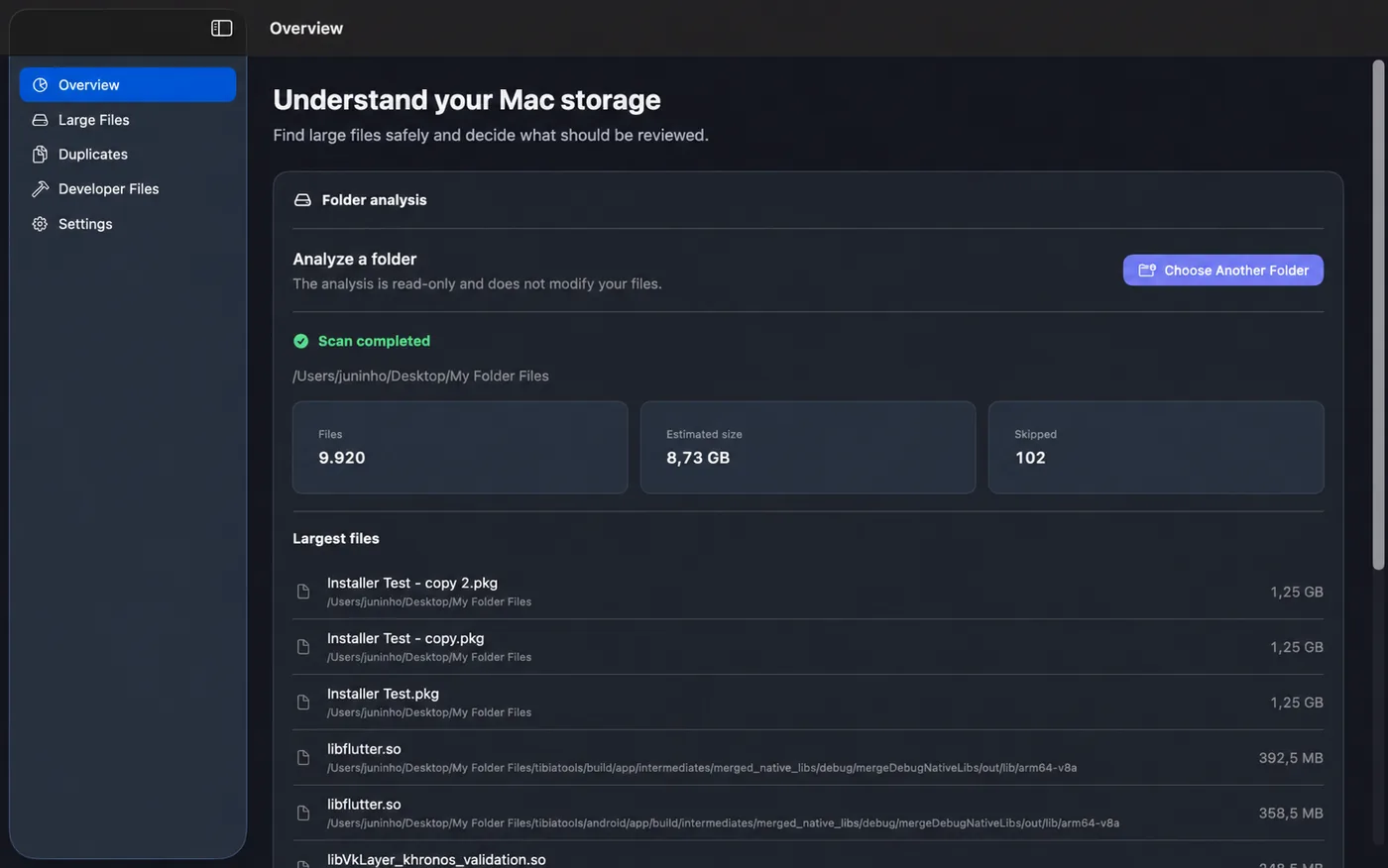
JJ Storage Cleaner Overview screen showing local folder analysis results
Local-firstYour file analysis stays on your Mac.
AccountNot required
AdvertisingNone
TrackingNone
File uploadsNone — analysis is local

A more transparent cleanup workflow

See what is using space. Review it. Then decide.

JJ Storage Cleaner avoids aggressive automatic-cleanup rules. You choose the folder to analyze, review the results and decide what should happen.

Scans are designed to be read-only. Protected macOS and application locations are excluded, and supported removals move selected files to Trash instead of permanently deleting them.

Core tools

Three ways to understand where your storage is going.

Each tool is built around review and context, so you can inspect what was found before taking action.

01

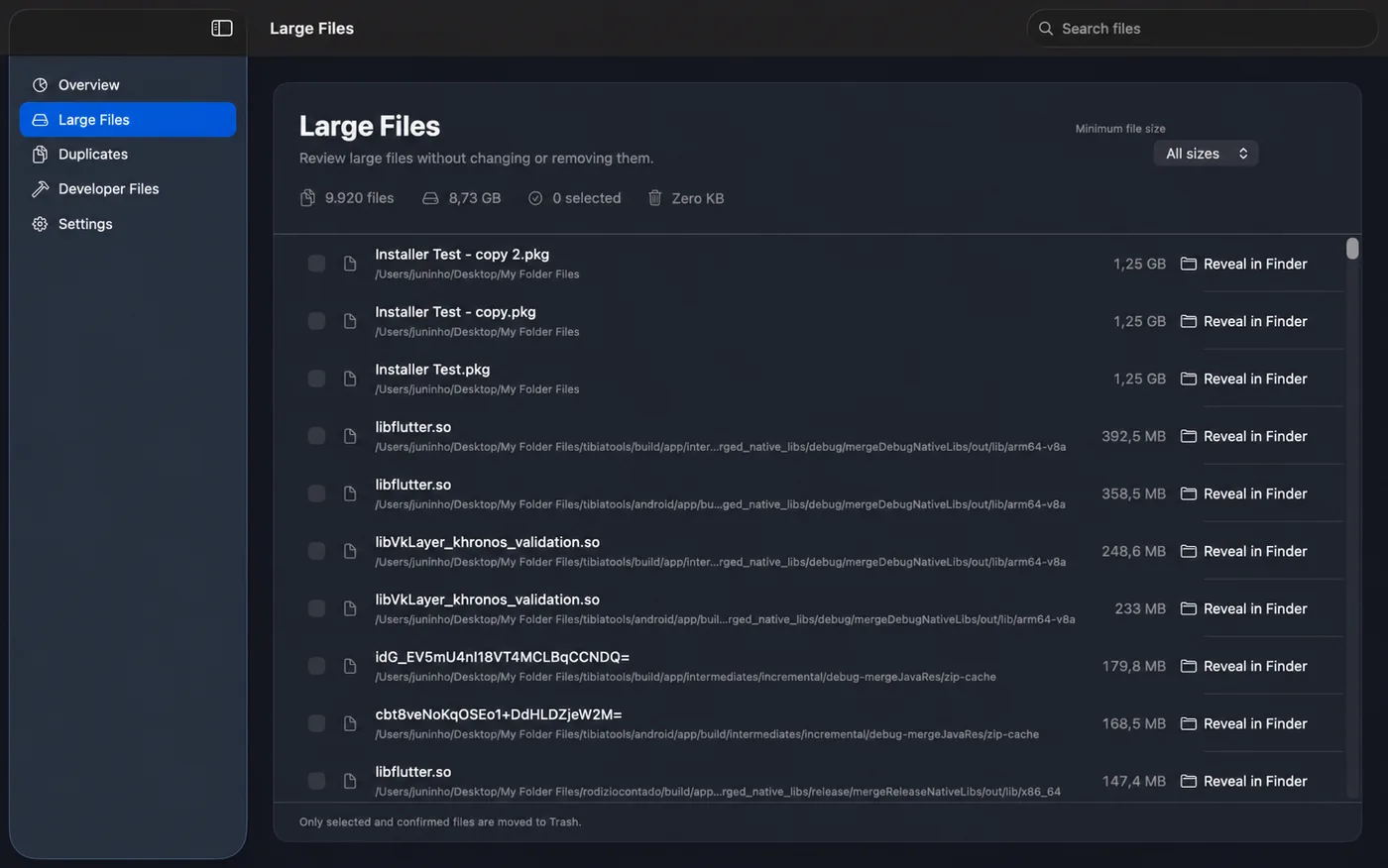
Large Files

Find the files that are taking up the most space.

Browse and filter large files inside folders you select. File size, path and Finder access stay visible so you can understand each item before making a decision.

  • Filter by minimum file size
  • Review paths and file sizes
  • Reveal any result in Finder
  • Select only the files you want to review for removal
Large Files
JJ Storage Cleaner Large Files screen
02

Duplicates

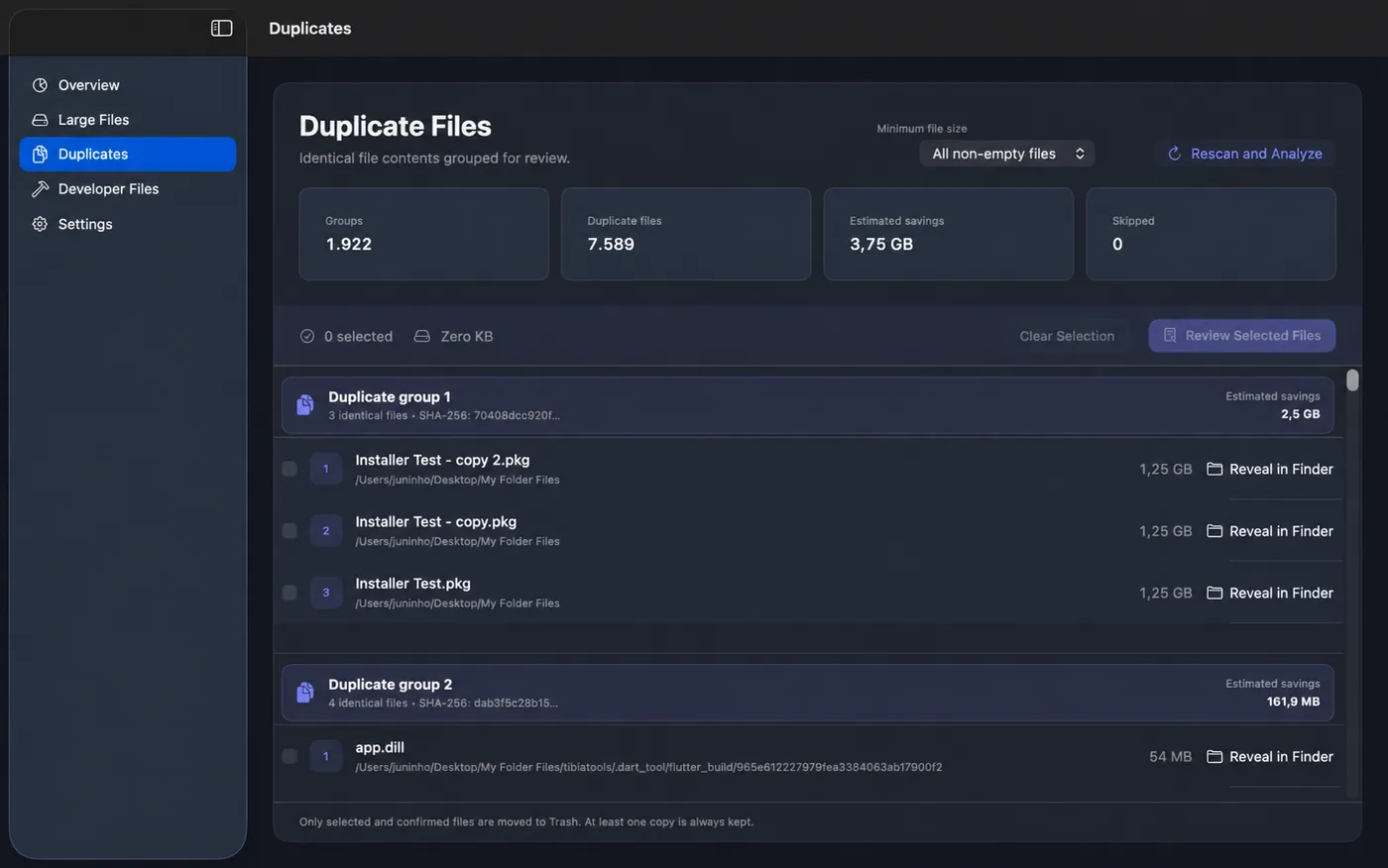
Identify duplicate content, not just matching names.

JJ Storage Cleaner verifies duplicate file contents and groups identical copies for review. Different filenames can still be recognized when their contents are the same.

  • Content-verified duplicate groups
  • Estimated storage savings
  • Review every copy and its location
  • Designed to keep at least one copy in each group
Duplicates
JJ Storage Cleaner Duplicates screen
03

Developer Files

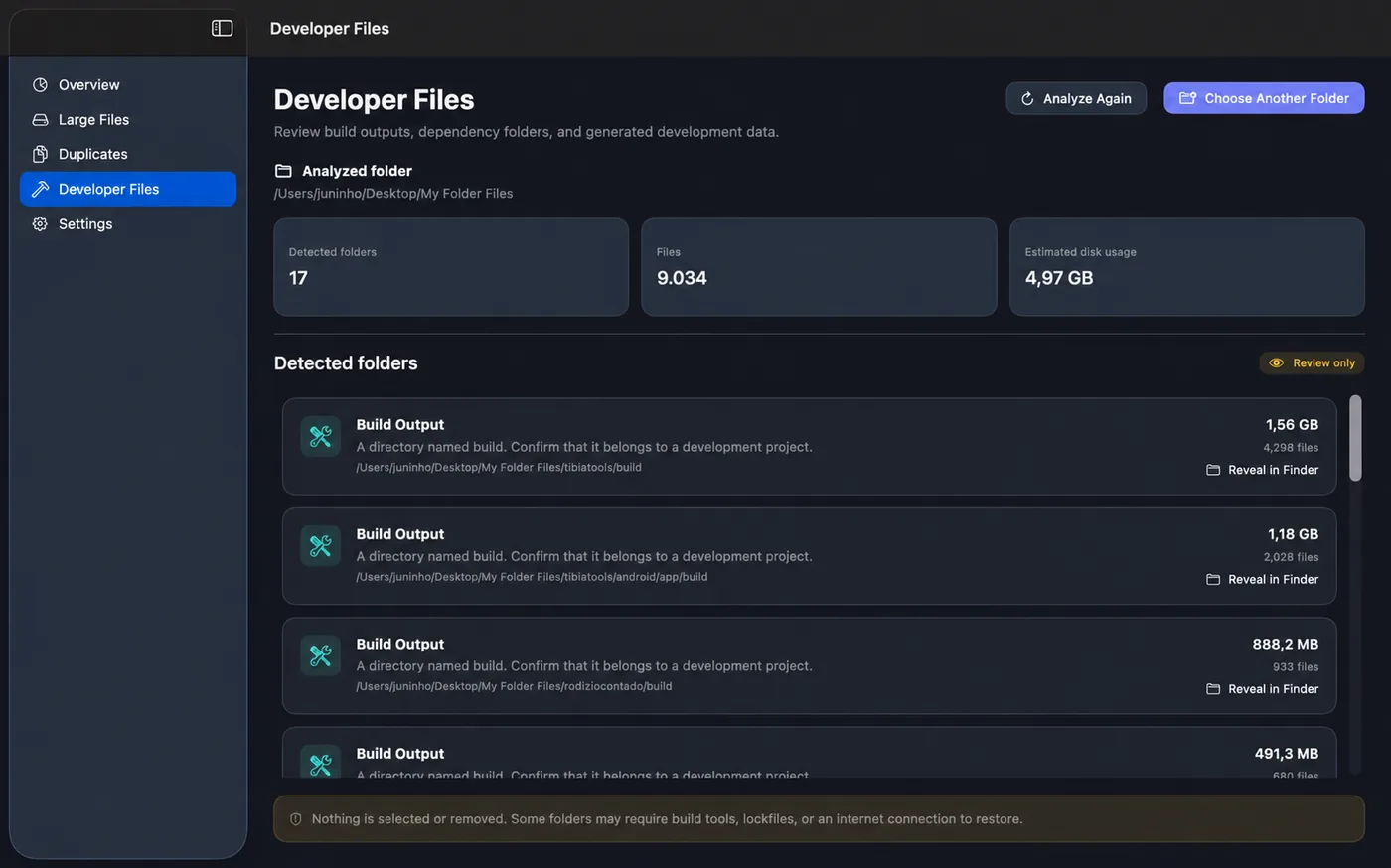
Review build outputs and generated development data.

Developer Files helps surface build outputs, dependency folders and generated data that may be consuming storage. This area is intentionally review-only so nothing is removed automatically.

  • Detect development-related folders
  • See estimated disk usage and file counts
  • Reveal detected folders in Finder
  • No automatic deletion from Developer Files
Developer Files
JJ Storage Cleaner Developer Files screen

Safety first

Cleanup should feel deliberate, not risky.

JJ Storage Cleaner uses a conservative approach: analysis first, review second, action last.

Read-only scanningAnalysis is designed not to modify the files being reviewed.
Protected locations excludedmacOS and application locations covered by the app’s safety rules are skipped.
Trash instead of permanent deletionSupported Pro removals move selected Large Files and Duplicates to the macOS Trash.
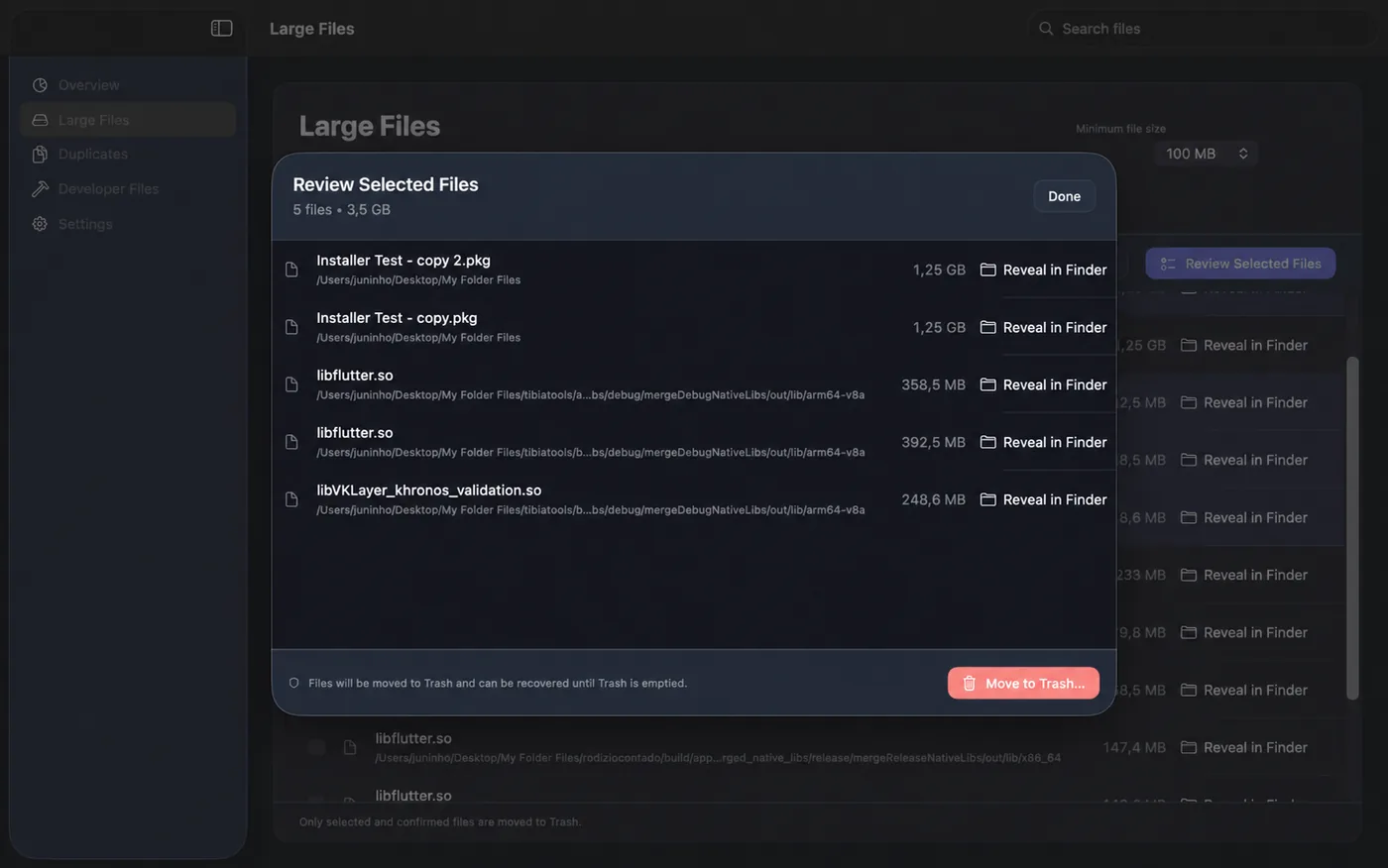
Review before removalSelected files are shown again before you confirm a supported cleanup action.
Review Selected Files
JJ Storage Cleaner review selected files window before moving files to Trash
JJ Storage Cleaner Pro

One purchase. No subscription.

The free version lets you scan, browse, filter, select, review and reveal files in Finder. Pro unlocks supported removal actions for selected Large Files and Duplicates directly inside the app.

FreeScan and understand your storage
FreeLarge Files, Duplicates & Developer Files review
FreeReveal results in Finder
ProMove selected Large Files and Duplicates to Trash
Get JJ Storage Cleaner ↗

Privacy by design

Your files are analyzed locally.

The app does not upload file contents, filenames, folder paths, duplicate hashes or scan results to JJ Studio Entertainment servers.

JJ Storage Cleaner does not use third-party advertising or cross-app tracking, and its Mac App Store privacy disclosure is “Data Not Collected.”

Ready to understand your storage?

Make cleanup decisions with context, not guesswork.

JJ Storage Cleaner is available on the Mac App Store for Macs running macOS 15.6 or later.