No sign-up required
Start using the app without creating a JJ Vault user account.

Productivity · Password Manager
JJ Vault is a local-first password manager for people who want straightforward credential storage without an account, advertising, analytics, cloud synchronization or developer-hosted vault storage.
No JJ Vault account. No ad SDKs. No analytics SDKs. No cloud vault service.
Privacy by design
Credentials, favorites, encrypted key material and app preferences are kept locally. JJ Studio Entertainment does not operate a cloud service that receives or stores your vault contents.
Your master password and backup password are not sent to JJ Studio Entertainment, and the developer cannot recover them or decrypt your local vault or backup files for you.
Start using the app without creating a JJ Vault user account.
JJ Vault does not use advertising SDKs to monetize your credential activity.
The app does not use analytics SDKs or cross-app tracking technologies.
Your vault remains on your device unless you deliberately export an encrypted backup.
Core features
JJ Vault keeps the main workflow direct: save credentials, find them quickly, generate stronger passwords and create encrypted backups you control.
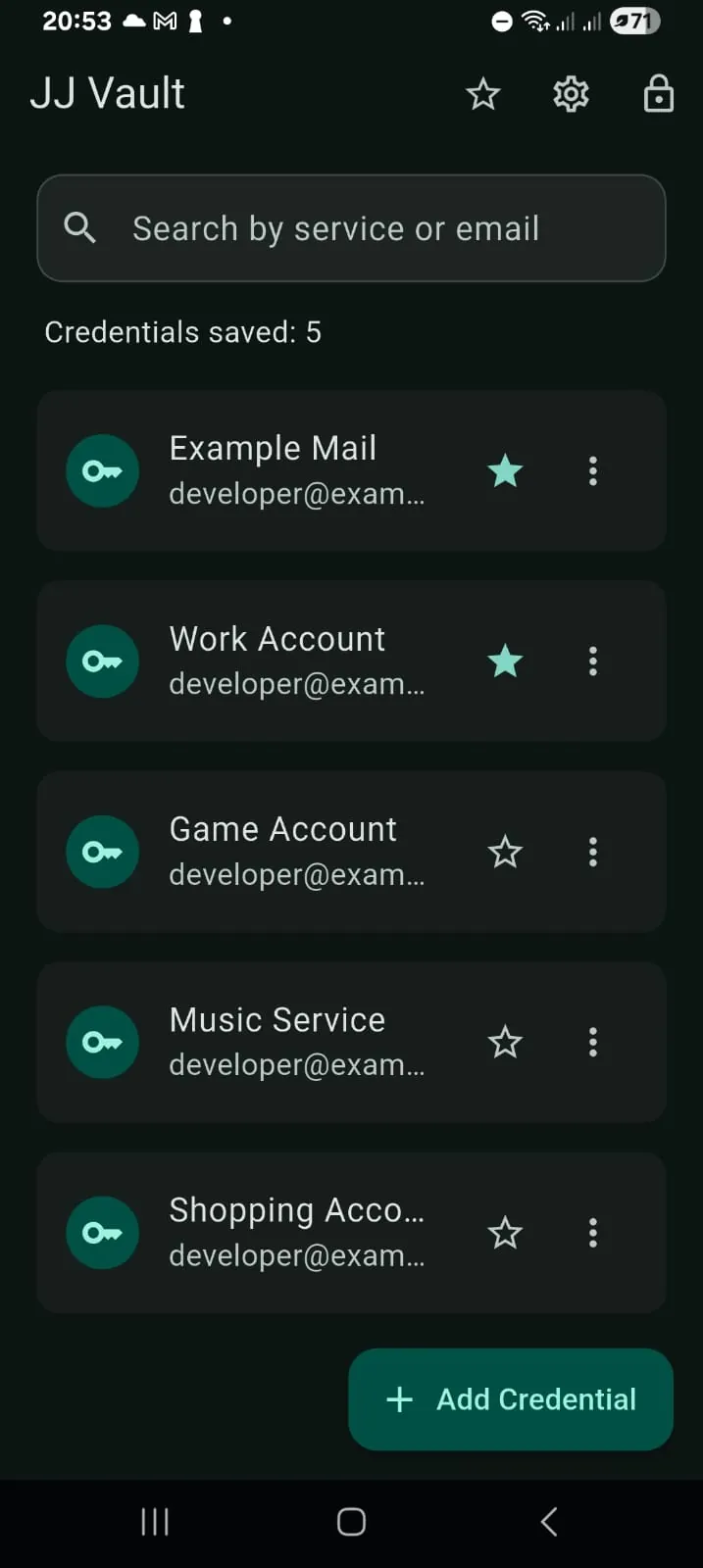
Store service names, emails or usernames and passwords, then search your vault and mark frequently used entries as favorites.
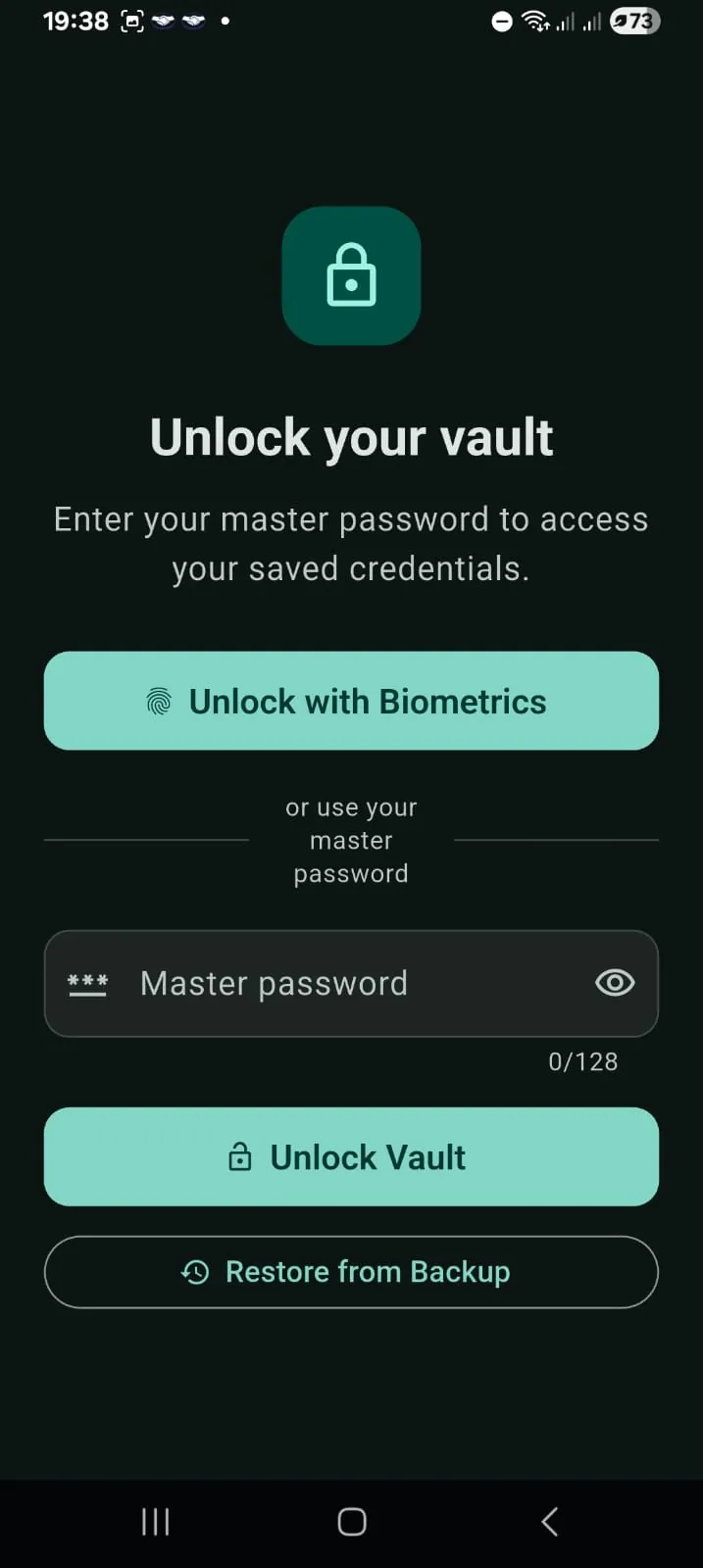
Your master password protects access to the encrypted vault. JJ Vault Pro can also use the operating system biometric security service for convenient unlock.
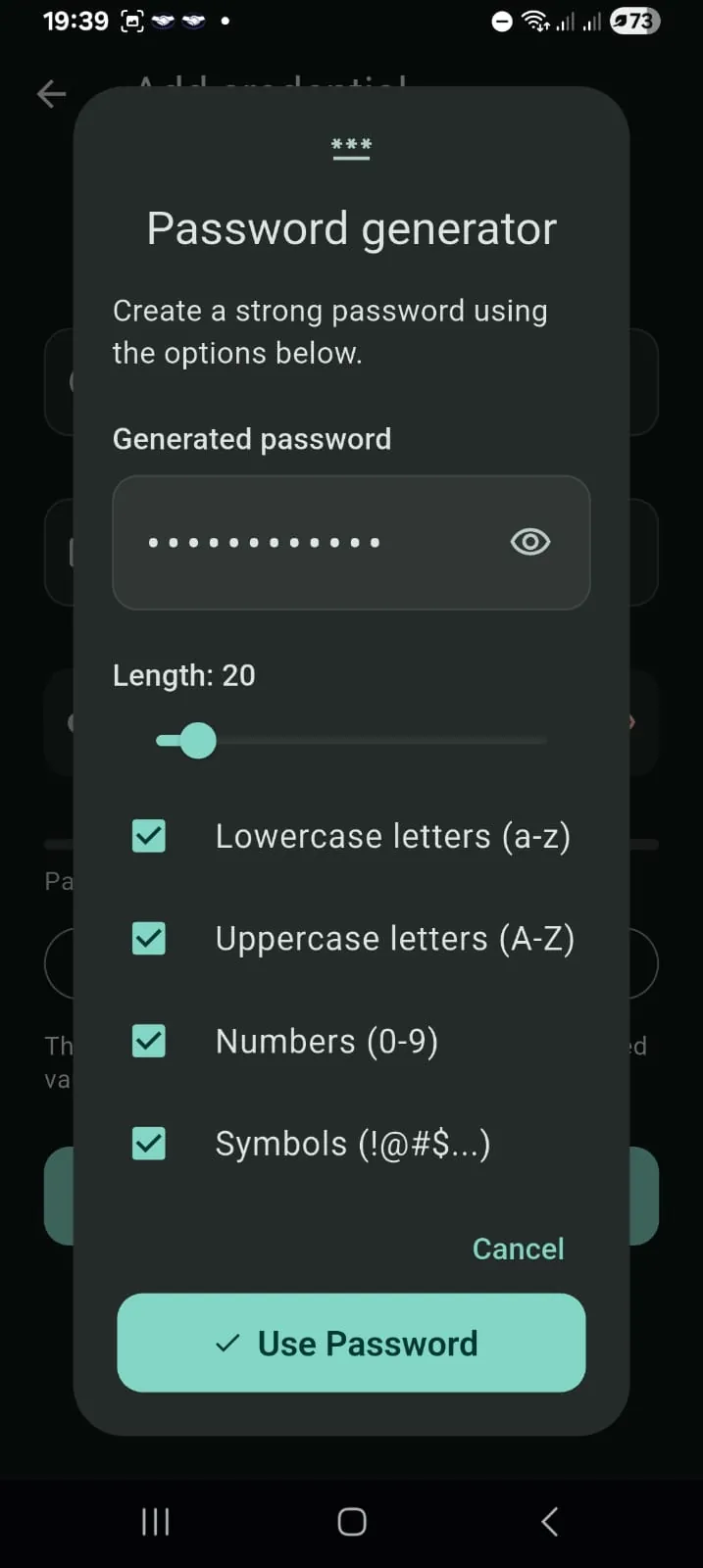
Use the built-in password generator to create a password with the length and character types you choose, then save it directly into the encrypted vault.
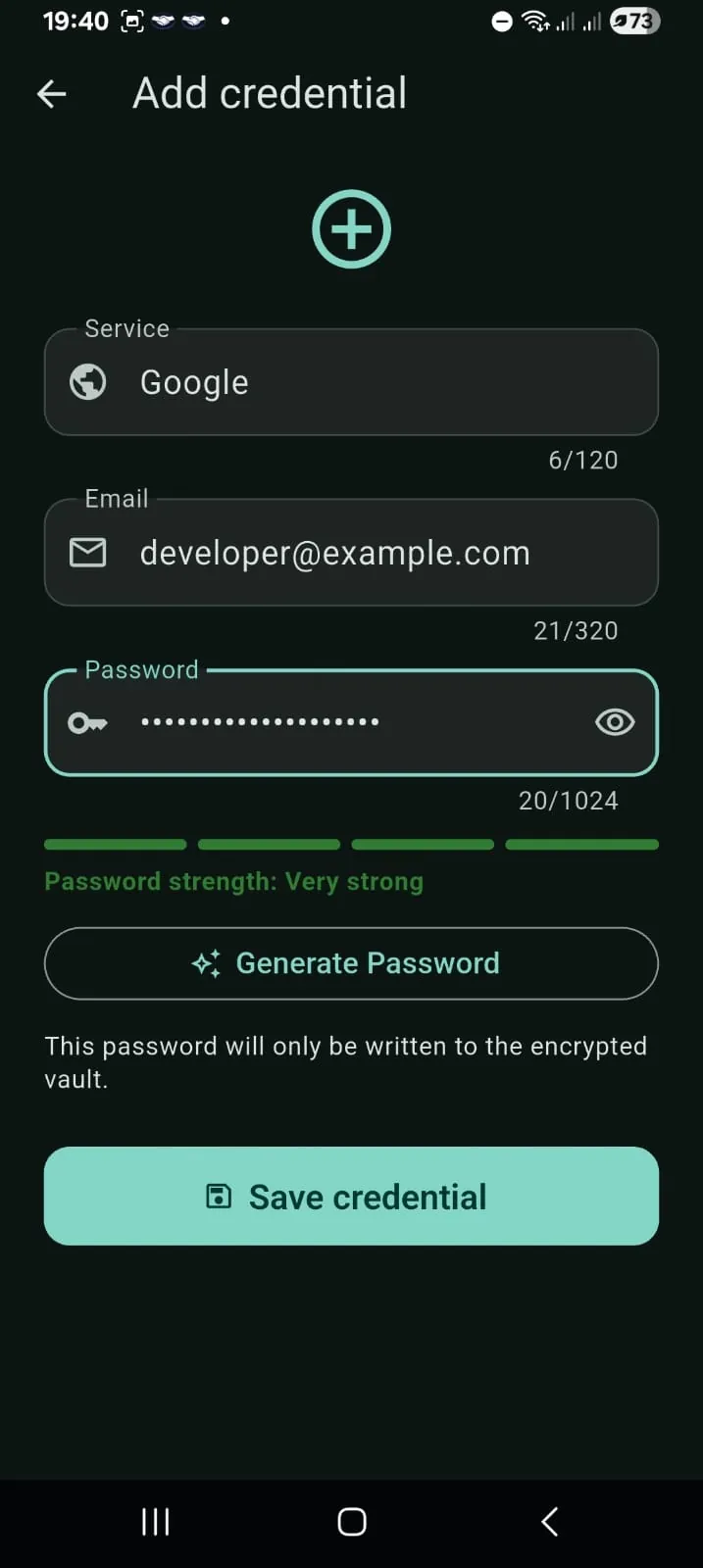
The add-credential flow keeps service, email and password information together while making it easy to generate or review a password before saving.
Free and Pro
JJ Vault Pro is a non-consumable in-app purchase — not a subscription.
Use the essential vault features without creating an account.
A single non-consumable purchase unlocks the additional Pro features.
Encrypted backups
JJ Vault can create a password-protected .svault backup. You choose the destination through the operating system, and you are responsible for protecting the backup password and exported copies.
JJ Studio Entertainment cannot recover your master password, backup password, encrypted vault or encrypted backup. Keep those passwords and your exported backups in a safe place.
Available on iPhone and Android
JJ Vault is available on the Apple App Store for iPhone and on Google Play for Android.
Install JJ Vault on a compatible iPhone running iOS 15.6 or later and keep your encrypted vault, password generator, backups and optional Pro features close at hand.
View on App Store ↗Install JJ Vault on Android from Google Play and use the same local-first password management, encrypted backups and optional Pro workflow on your Android device.
Get it on Google Play ↗Interface preview
JJ Vault keeps the most important actions easy to reach, from finding saved credentials to generating passwords, adding entries and unlocking your vault securely.
Privacy and support
Read how JJ Vault handles your data or get help with passwords, backups, biometrics, purchases and other app features. Privacy and support information is available in English, Portuguese and Spanish.
Produtividade · Gerenciador de senhas
JJ Vault é um gerenciador de senhas local-first para quem deseja armazenar credenciais de forma simples, sem conta, publicidade, analytics, sincronização em nuvem ou armazenamento do cofre em servidores do desenvolvedor.
Sem conta JJ Vault. Sem SDKs de anúncios. Sem SDKs de analytics. Sem serviço de cofre em nuvem.
Privacidade por design
Credenciais, favoritos, material de chave criptografado e preferências do aplicativo ficam armazenados localmente. A JJ Studio Entertainment não opera um serviço em nuvem que receba ou armazene o conteúdo do seu cofre.
Sua senha mestre e a senha de backup não são enviadas à JJ Studio Entertainment, e o desenvolvedor não consegue recuperá-las nem descriptografar seu cofre local ou seus arquivos de backup.
Comece a usar o aplicativo sem criar uma conta de usuário do JJ Vault.
O JJ Vault não utiliza SDKs de publicidade para monetizar sua atividade de credenciais.
O aplicativo não utiliza SDKs de analytics nem tecnologias de rastreamento entre aplicativos.
Seu cofre permanece no dispositivo, a menos que você escolha exportar um backup criptografado.
Principais recursos
O JJ Vault mantém o fluxo direto: salve credenciais, encontre-as rapidamente, gere senhas mais fortes e crie backups criptografados que você controla.
Armazene nomes de serviços, emails ou nomes de usuário e senhas; depois pesquise no cofre e marque entradas usadas com frequência como favoritas.
Sua senha mestre protege o acesso ao cofre criptografado. O JJ Vault Pro também pode usar o serviço de segurança biométrica do sistema operacional para facilitar o desbloqueio.
Use o gerador de senhas integrado para criar uma senha com o tamanho e os tipos de caracteres que escolher e salve-a diretamente no cofre criptografado.
O fluxo de adição mantém serviço, email e senha juntos, facilitando gerar ou revisar uma senha antes de salvar.
Grátis e Pro
JJ Vault Pro é uma compra dentro do app não consumível — não é uma assinatura.
Use os principais recursos do cofre sem criar uma conta.
Uma única compra não consumível libera os recursos adicionais do Pro.
Backups criptografados
O JJ Vault pode criar um backup .svault protegido por senha. Você escolhe o destino pelo sistema operacional e é responsável por proteger a senha do backup e as cópias exportadas.
A JJ Studio Entertainment não consegue recuperar sua senha mestre, senha de backup, cofre criptografado ou backup criptografado. Mantenha essas senhas e seus backups exportados em um local seguro.
Disponível para iPhone e Android
JJ Vault está disponível na Apple App Store para iPhone e no Google Play para Android.
Instale o JJ Vault em um iPhone compatível com iOS 15.6 ou posterior e mantenha seu cofre criptografado, gerador de senhas, backups e recursos Pro opcionais sempre à mão.
Ver na App Store ↗Instale o JJ Vault no Android pelo Google Play e use o mesmo gerenciamento de senhas local-first, backups criptografados e fluxo Pro opcional em seu dispositivo Android.
Baixar no Google Play ↗Prévia da interface
O JJ Vault mantém as ações mais importantes fáceis de acessar: encontrar credenciais salvas, gerar senhas, adicionar entradas e desbloquear seu cofre com segurança.
Privacidade e suporte
Veja como o JJ Vault trata seus dados ou obtenha ajuda com senhas, backups, biometria, compras e outros recursos do aplicativo. As informações de privacidade e suporte estão disponíveis em inglês, português e espanhol.
Productividad · Gestor de contraseñas
JJ Vault es un gestor de contraseñas local-first para quienes quieren almacenar credenciales de forma sencilla, sin cuenta, publicidad, analítica, sincronización en la nube ni almacenamiento de la bóveda en servidores del desarrollador.
Sin cuenta de JJ Vault. Sin SDK de anuncios. Sin SDK de analítica. Sin servicio de bóveda en la nube.
Privacidad por diseño
Las credenciales, favoritos, material de claves cifrado y preferencias de la aplicación se guardan localmente. JJ Studio Entertainment no opera un servicio en la nube que reciba o almacene el contenido de tu bóveda.
Tu contraseña maestra y la contraseña de copia de seguridad no se envían a JJ Studio Entertainment, y el desarrollador no puede recuperarlas ni descifrar tu bóveda local o tus archivos de copia.
Empieza a usar la aplicación sin crear una cuenta de usuario de JJ Vault.
JJ Vault no utiliza SDK de publicidad para monetizar tu actividad de credenciales.
La aplicación no utiliza SDK de analítica ni tecnologías de seguimiento entre aplicaciones.
Tu bóveda permanece en el dispositivo salvo que decidas exportar una copia de seguridad cifrada.
Funciones principales
JJ Vault mantiene un flujo directo: guarda credenciales, encuéntralas rápidamente, genera contraseñas más fuertes y crea copias cifradas que tú controlas.
Guarda nombres de servicios, correos o nombres de usuario y contraseñas; después busca en tu bóveda y marca como favoritas las entradas que utilizas con frecuencia.
Tu contraseña maestra protege el acceso a la bóveda cifrada. JJ Vault Pro también puede utilizar el servicio de seguridad biométrica del sistema operativo para facilitar el desbloqueo.
Usa el generador integrado para crear una contraseña con la longitud y los tipos de caracteres que elijas y guárdala directamente en la bóveda cifrada.
El flujo para añadir credenciales mantiene juntos servicio, correo y contraseña, facilitando generar o revisar una contraseña antes de guardarla.
Gratis y Pro
JJ Vault Pro es una compra dentro de la aplicación no consumible — no es una suscripción.
Utiliza las funciones principales de la bóveda sin crear una cuenta.
Una sola compra no consumible desbloquea las funciones adicionales de Pro.
Copias cifradas
JJ Vault puede crear una copia .svault protegida con contraseña. Tú eliges el destino mediante el sistema operativo y eres responsable de proteger la contraseña de la copia y las copias exportadas.
JJ Studio Entertainment no puede recuperar tu contraseña maestra, contraseña de copia, bóveda cifrada ni copia cifrada. Guarda esas contraseñas y tus copias exportadas en un lugar seguro.
Disponible en iPhone y Android
JJ Vault está disponible en Apple App Store para iPhone y en Google Play para Android.
Instala JJ Vault en un iPhone compatible con iOS 15.6 o posterior y ten a mano tu bóveda cifrada, generador de contraseñas, copias y funciones Pro opcionales.
Ver en App Store ↗Instala JJ Vault en Android desde Google Play y utiliza la misma gestión de contraseñas local-first, copias cifradas y flujo Pro opcional en tu dispositivo Android.
Descargar en Google Play ↗Vista previa de la interfaz
JJ Vault mantiene las acciones principales al alcance: encontrar credenciales guardadas, generar contraseñas, añadir entradas y desbloquear tu bóveda de forma segura.
Privacidad y soporte
Consulta cómo JJ Vault gestiona tus datos u obtén ayuda con contraseñas, copias, biometría, compras y otras funciones. La información de privacidad y soporte está disponible en inglés, portugués y español.